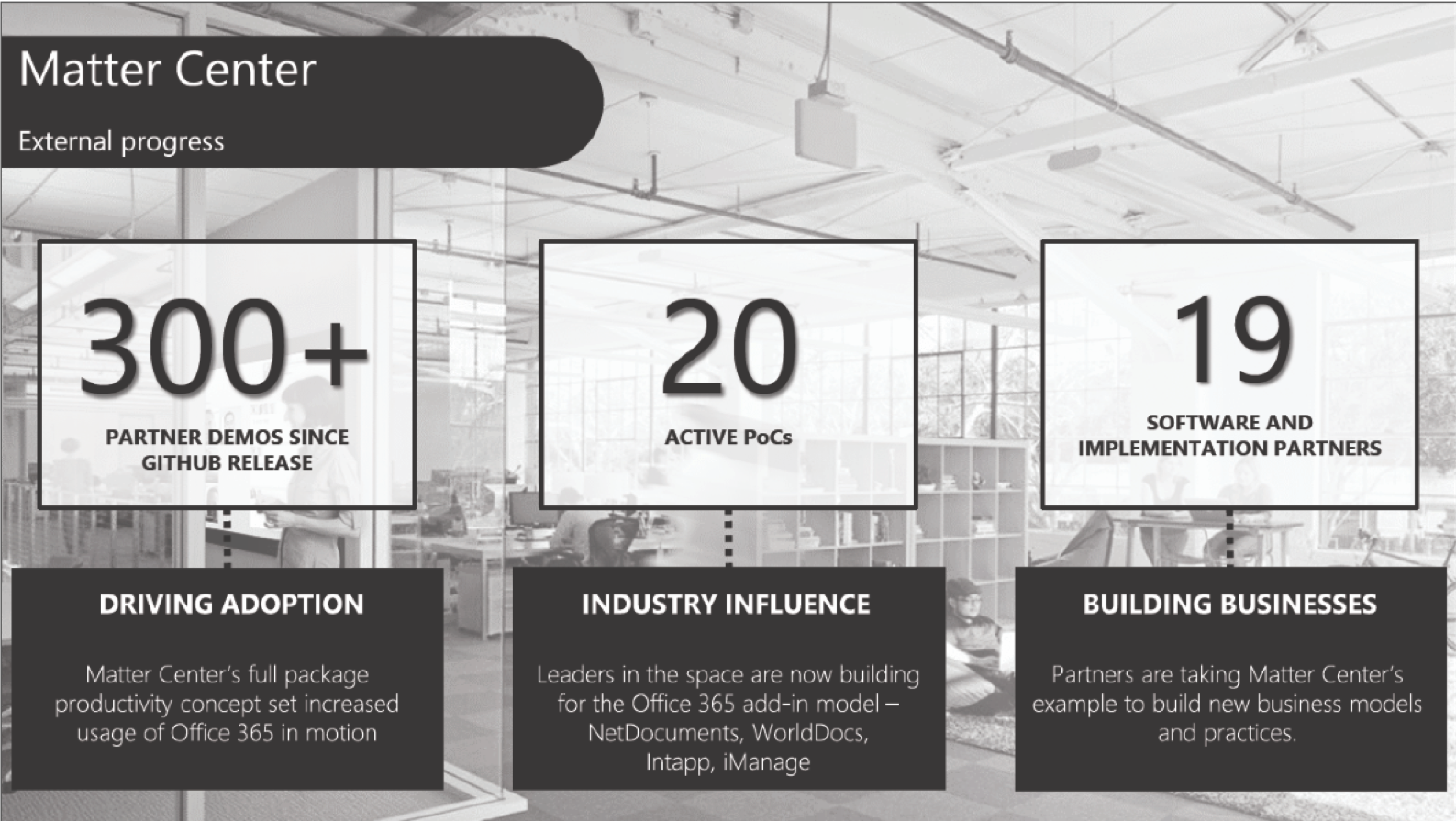

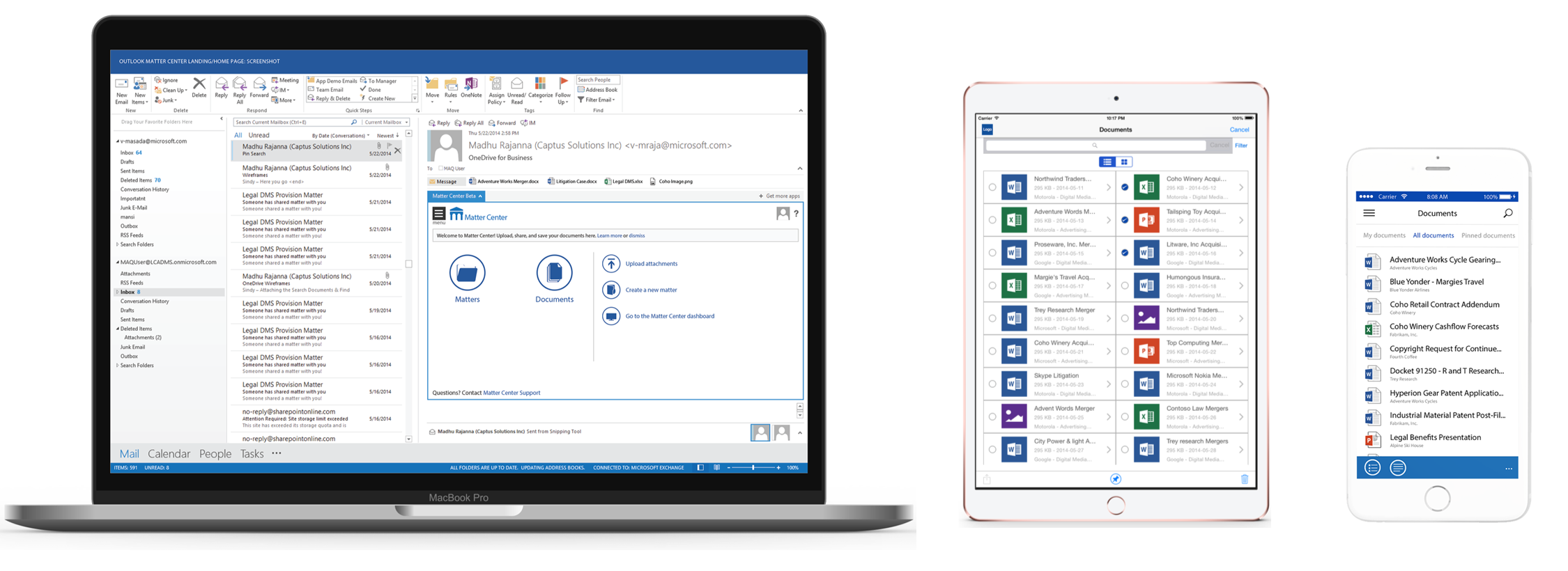
Designed Document Management System leveraging Office 365 technology for Legal industry. An open source product delivering a rich user experience for creating sites, managing & collaboration of documents across all devices (Desktop, tablet and phone).
Project Overview
Matter Center for Office 365 is a SharePoint-based document management and collaboration solution. It offers many additional benefits through the add-ins in Microsoft Outlook and Word.
The goal of the project was to influence cloud adoption to O365 users, by giving them a simple tool. We leveraged the O365 platform and stapled Microsoft Outlook, SharePoint, and Word to ignite the legal scenarios.
The goal of the project was to influence the cloud adoption to O365 users by giving them a simple tool. We leveraged the O365 platform and stapled Outlook, SharePoint, Word to ignite the legal scenarios.
My Role
- Conducted interviews with stakeholders
- Competitive analysis
- Conducted surveys
- Created wireframes and ran usability studies
- Designed high fidelity mocks
- Collaborated with engineering team until launch
Customer Problem
Outdated technology in the legal industry resulted in a significant decrease in work productivity, especially creating and managing a matter site, document version controls and document collaboration with outside counsel.
Design Approach
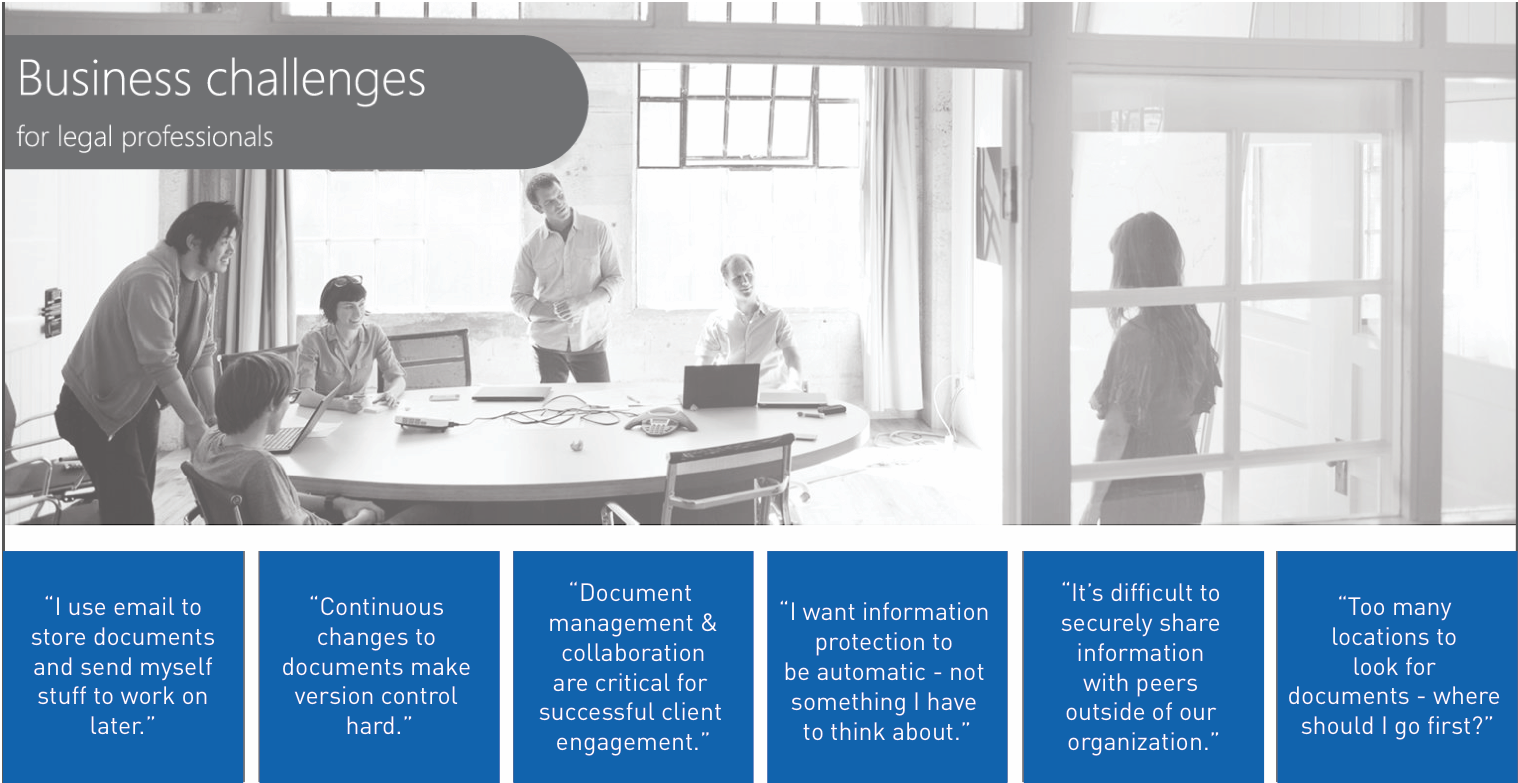
Our team started this project as an internal tool, but later realized, there were opportunities outside of legal industries. Therefore, I started connecting with big, medium, and small law firms, where I then conducted a focus group with interviews to better understand their challenges. Also, I started researching other Document Management Systems in the market and completed a competitive analysis.
These dive deep activities helped me to understand the common use cases across all law firms and their business challenges.
Business Challenges
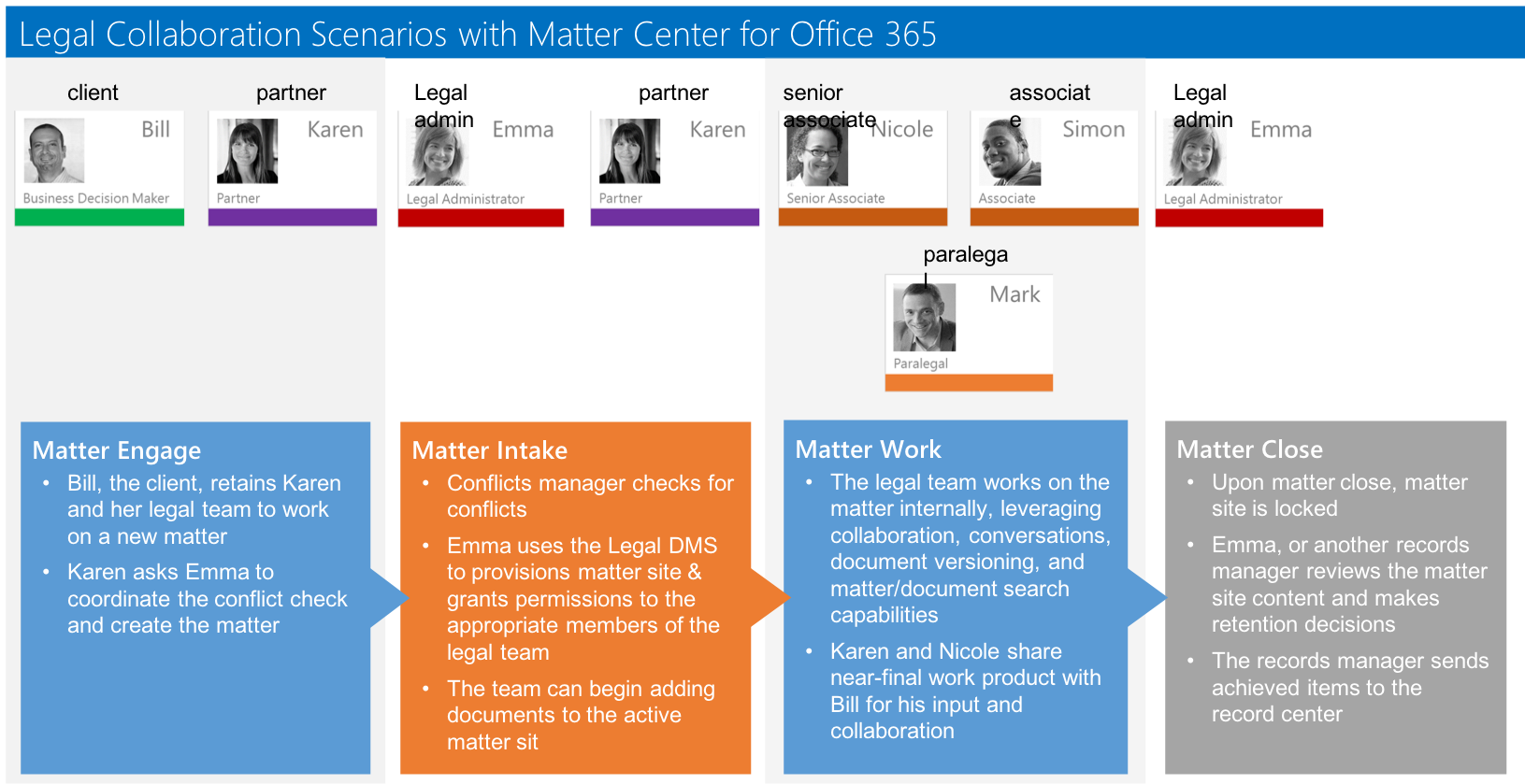
Matter Center Life cycle
User Research
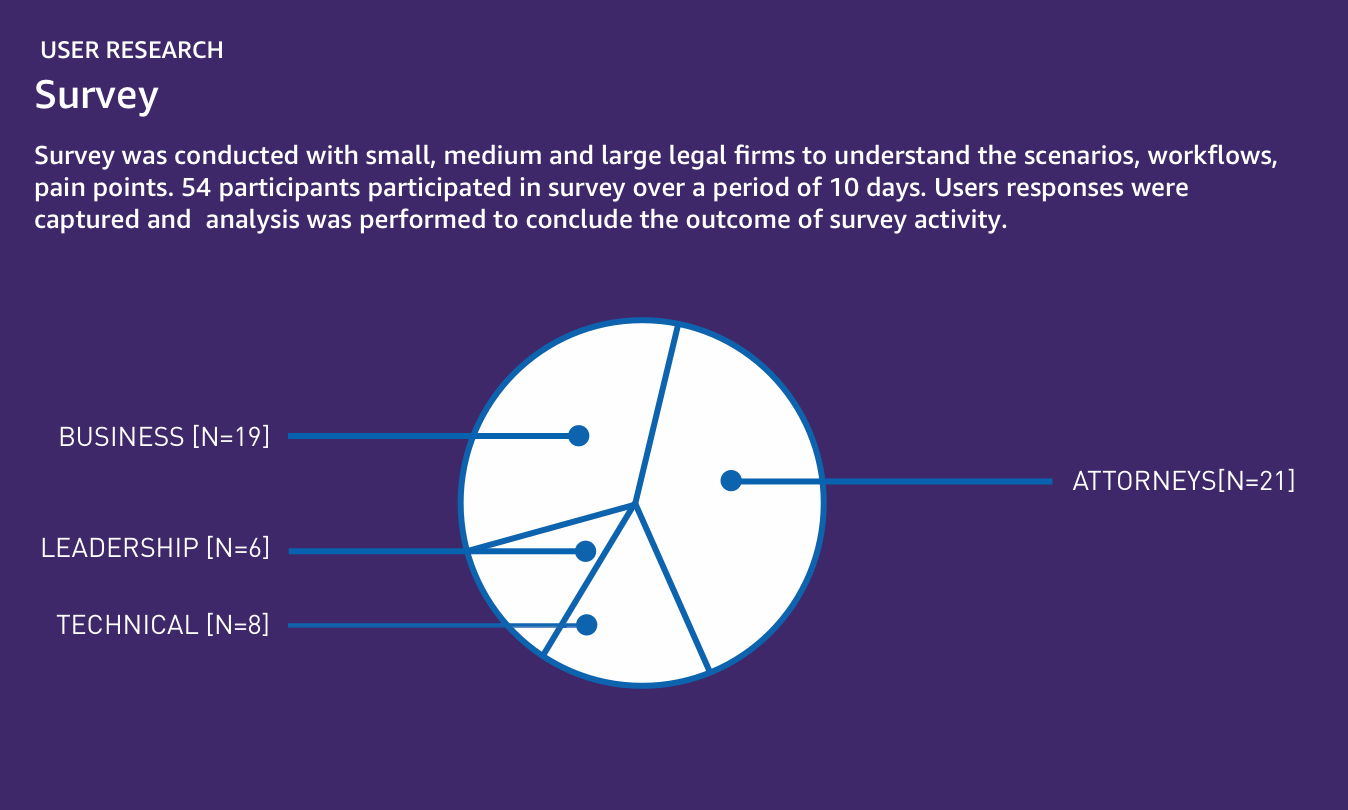
Survey was conducted with small, medium, and large legal firms to understand the challenges and scenarios.
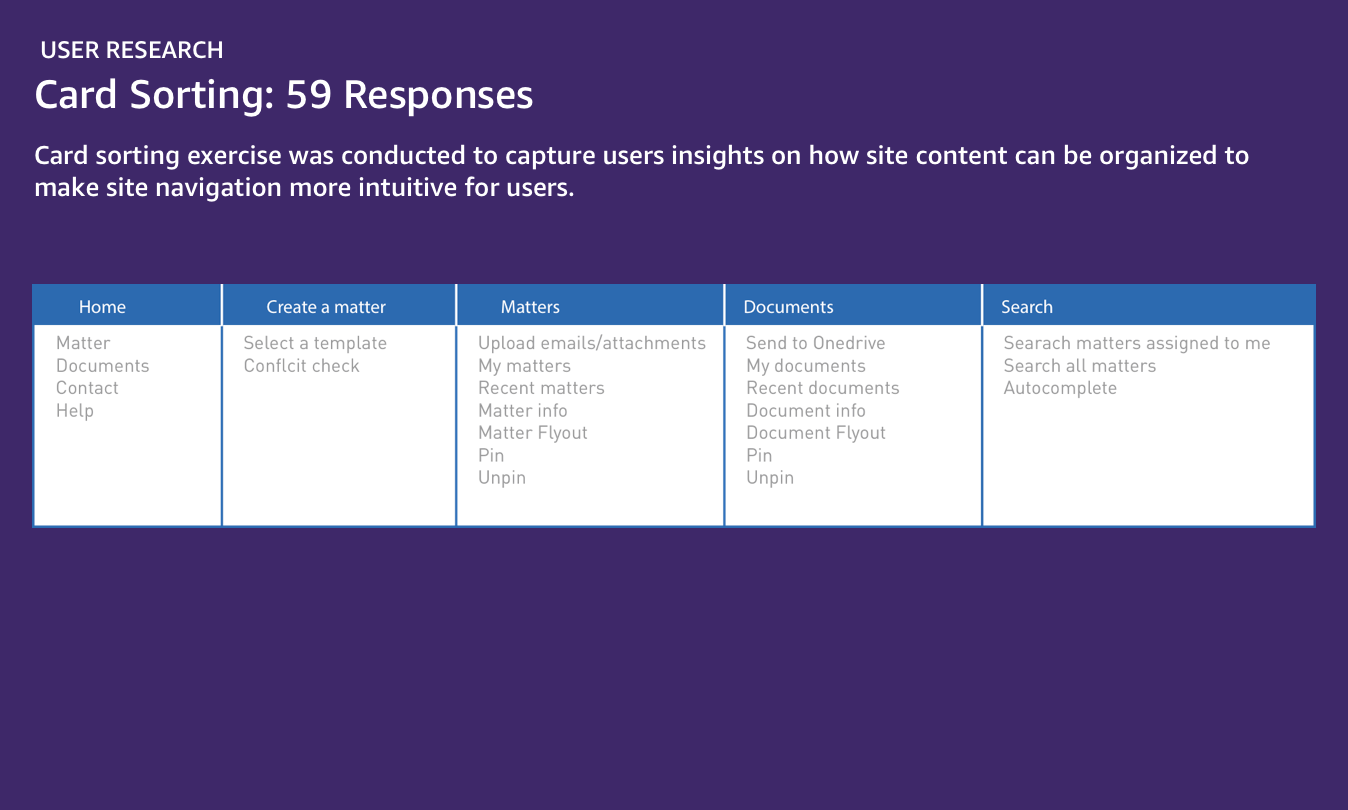
I performed online card sorting using Websort to capture users insights on how site content can be organized to make site navigation more intuitive for users.
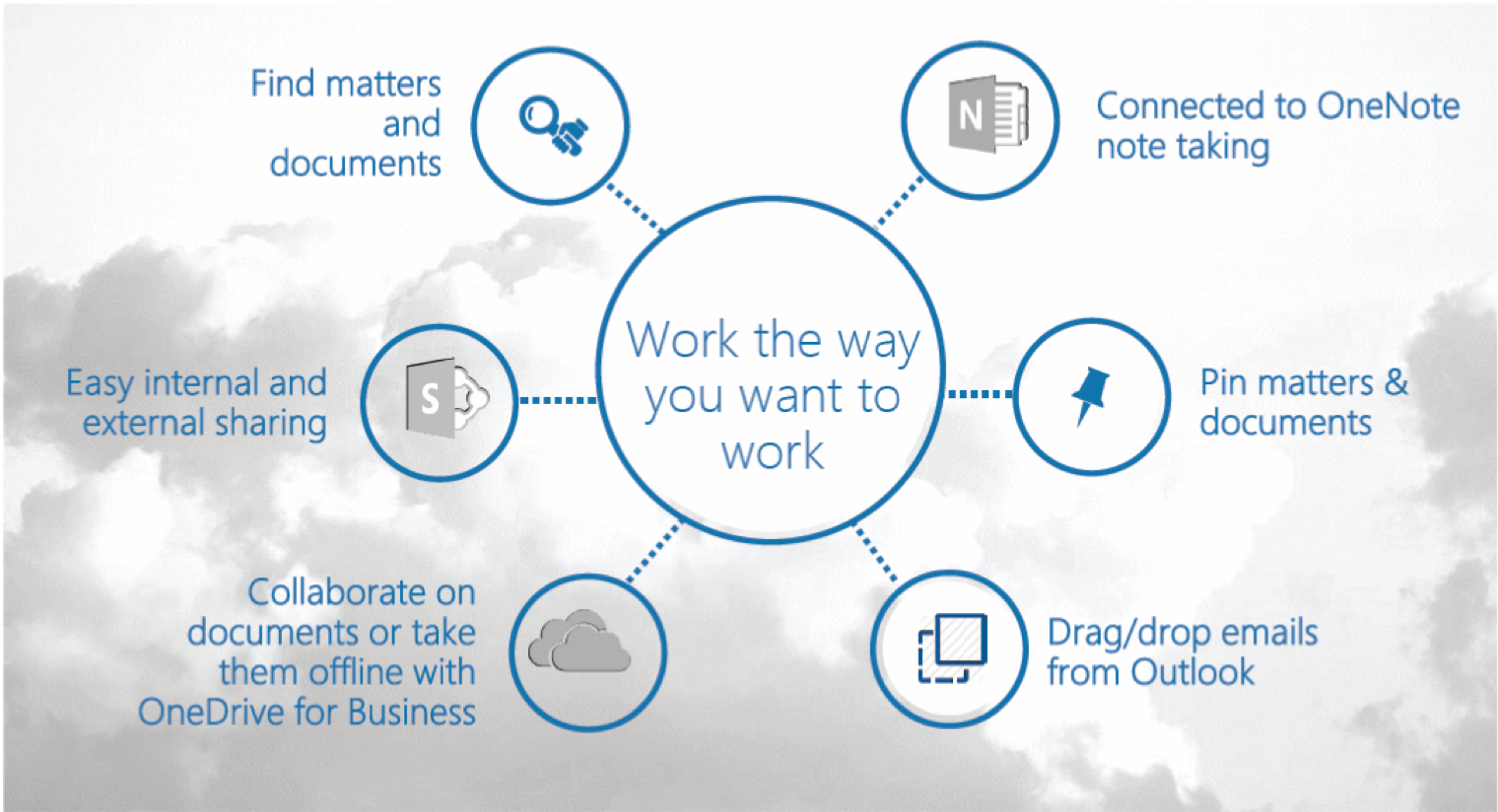
Scenarios
Based on the surveys and user interviews, I arrived at these business scenarios.
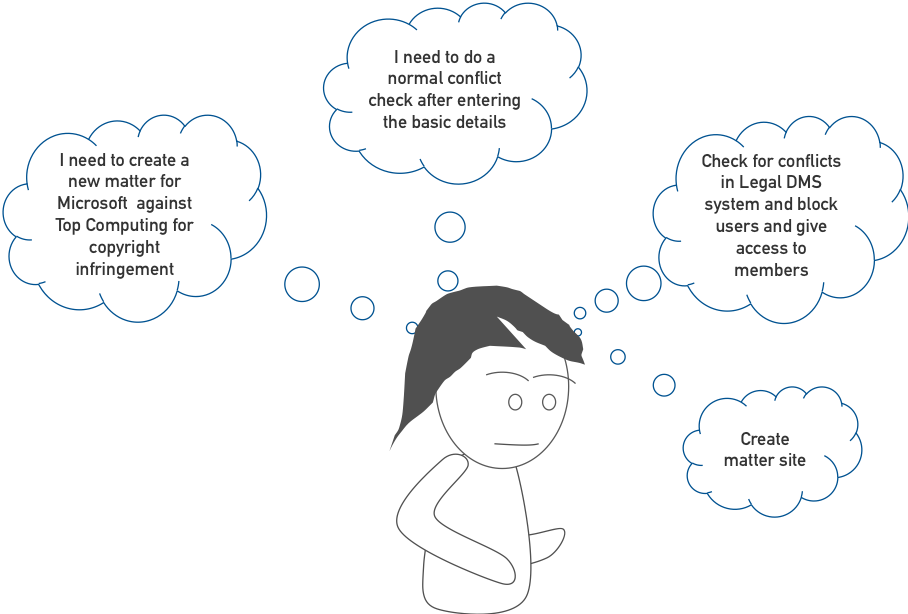
User Thinking
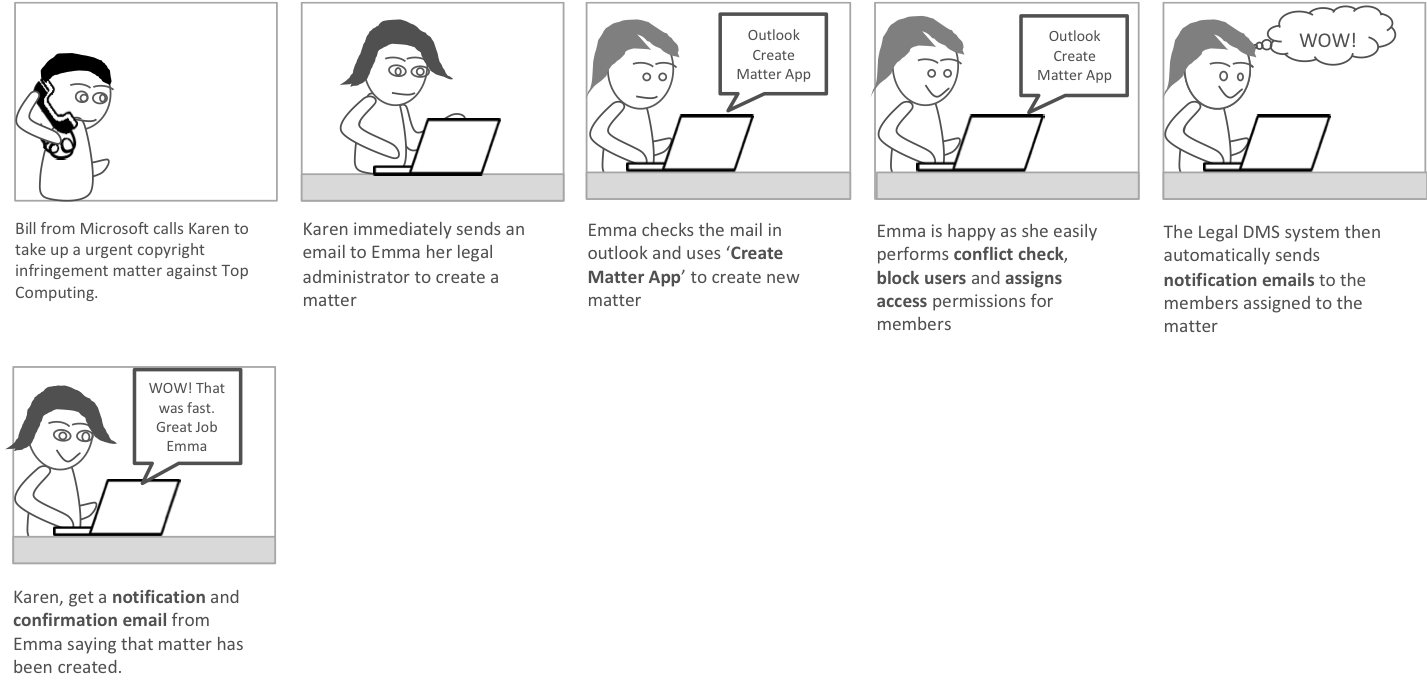
After gathering all these details, I started to consider the various scenarios and capture user emotional response and storyboard.In this case, the user is thinking about how to create a matter/case from Outlook email client.
SCENARIO: Emma, creating a matter/case from Outlook
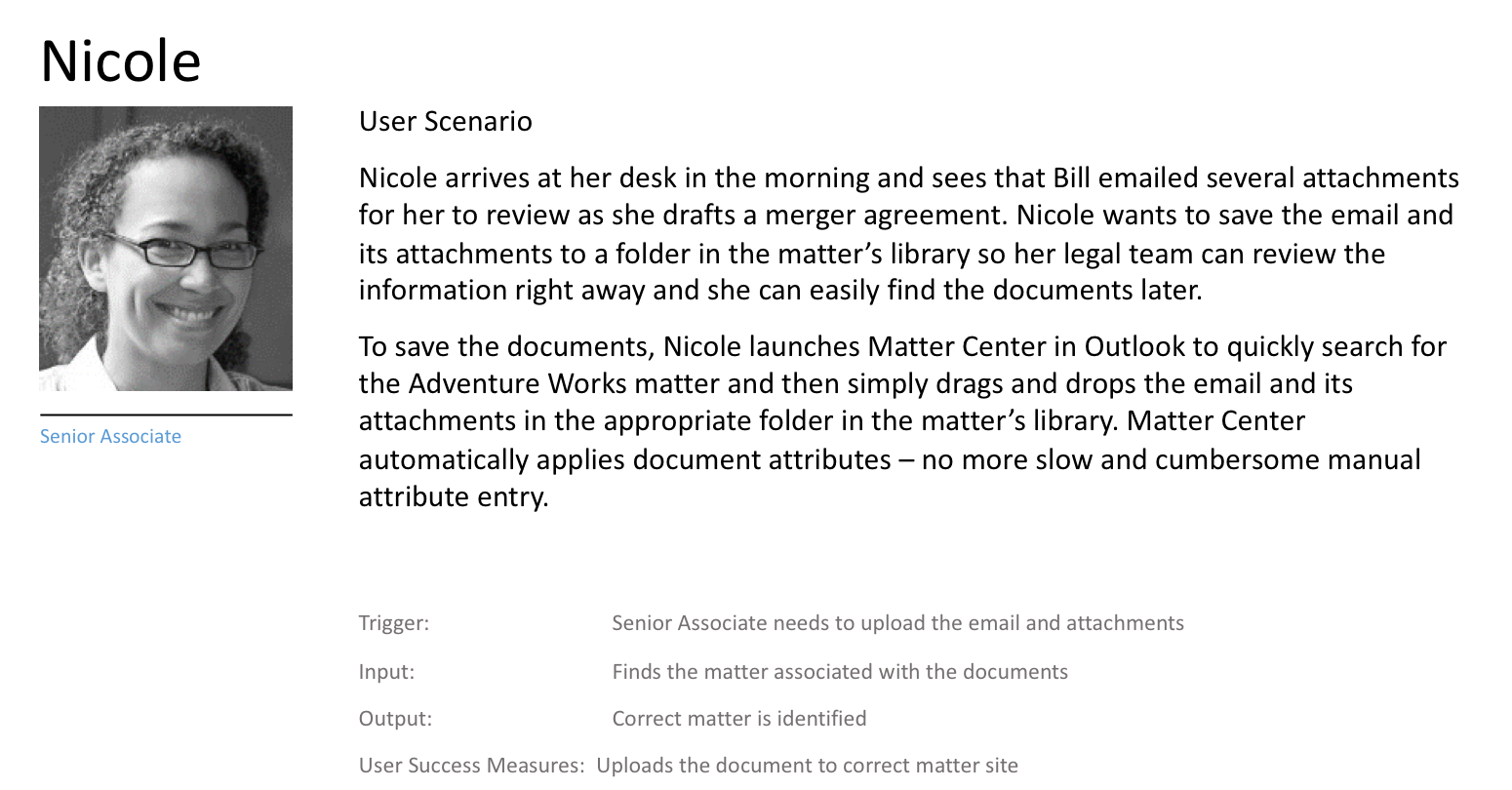
Storyboard & Narrative (Scenario: Upload Attachment)
I transformed the scenarios into visual storyboards and arranged them on a wall. Then, I asked our product managers and peers to share their feedback or comment. I found this method was an efficient way to gather feedback.
I transformed the scenarios into visual storyboards and put them on a wall and asked our product managers and peers to share their feedback or comment.
- Emma’s step to create a new matter (Pain point addressed)
- Creating a matter site quickly from Microsoft Outlook
- Assigning permissions & blocking users
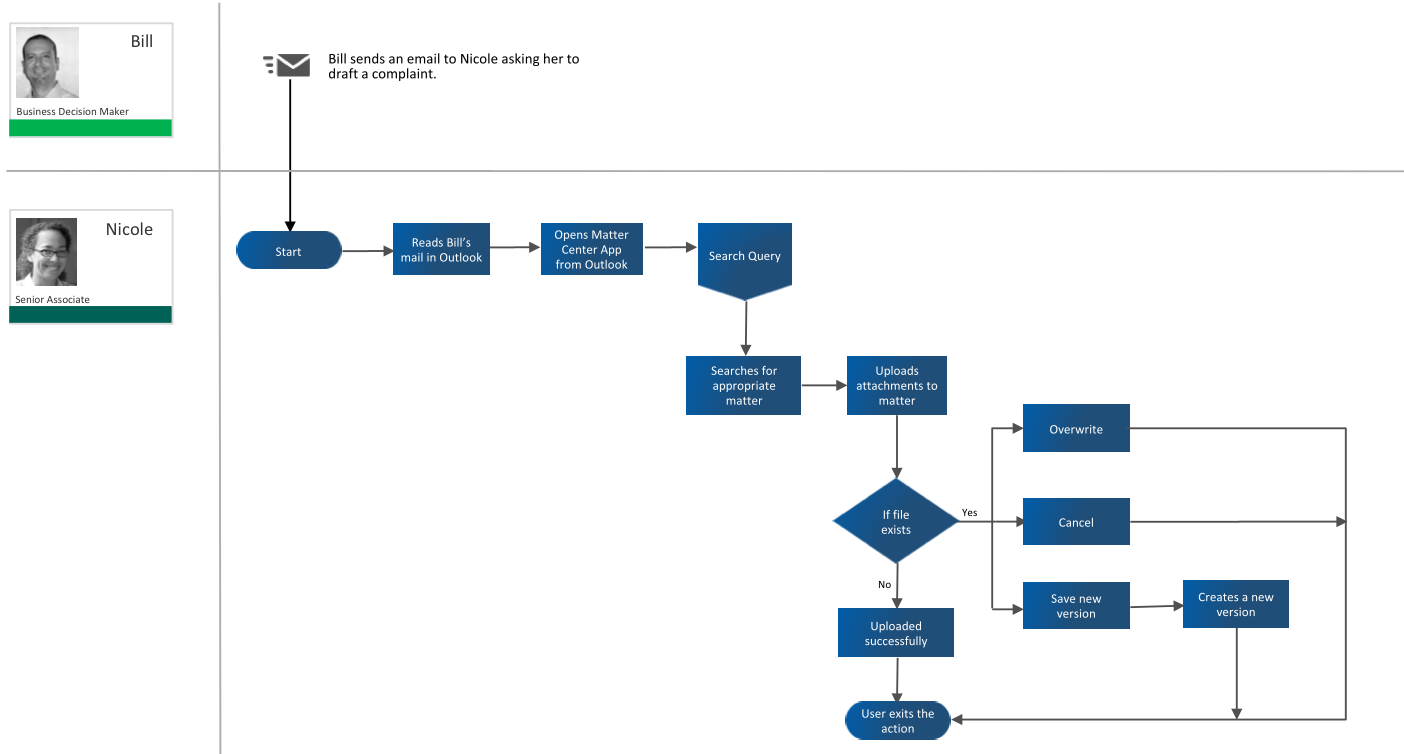
User flow: (Scenario: Upload Attachment)
Once I had the scenarios ready, I created userflows to present to the team - primarily the engineering team and stakeholders.
Ideation: (Scenario: Upload Attachment)
I started with design exploration for uploading an attachment from Microsoft Outlook’s mail client. I brainstormed with the team to whiteboard ideas and validate early. This exercise helped with generating quick ideas and communicating quickly across the team.
Idea 1
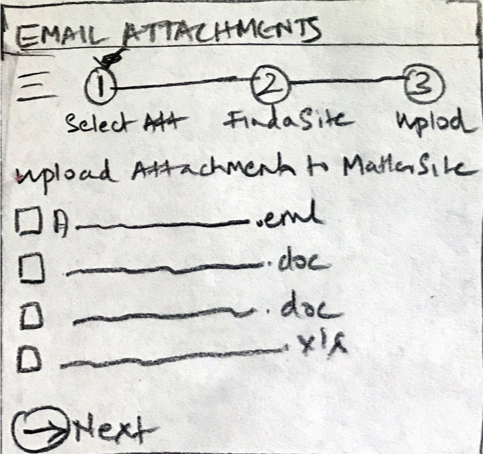
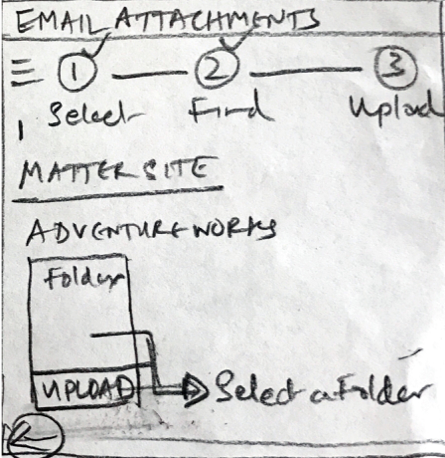
The use of step pattern was very clear with users (select, find and upload).
Cons:
Majority of the users mentioned that it was too many clicks for a file upload.
Idea 2
Based on user feedback from the previous design where they had to do more than three clicks for uploading, I simplified the workflow by showing the email attachment on left column and matters sites/folders in right column. This is a very ordinary way users move files (Ex: Finder, Explorer, etc.). I used many interactions like selecting files and clicking the copy button, but later landed on the drag and drop interaction.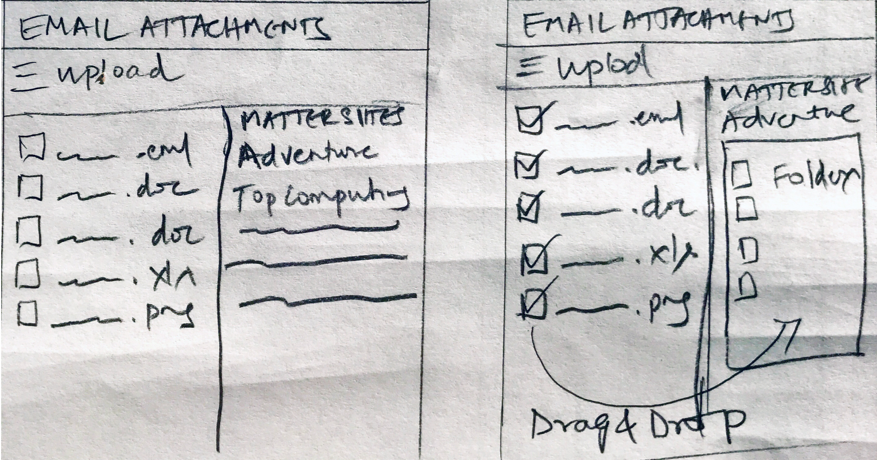
A/B Test - Tested 20 users
I did an A/B test for both ideas on the sample of twenty users. Idea 2 was a clear winner. Idea 1 (2 Users)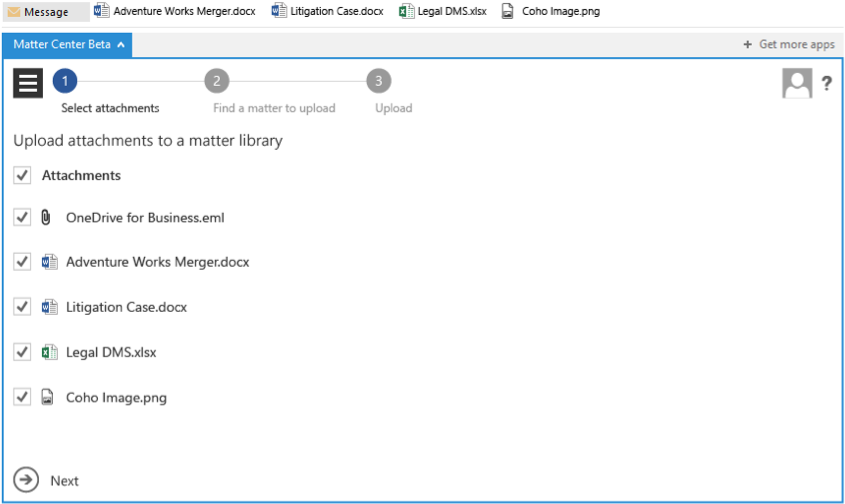
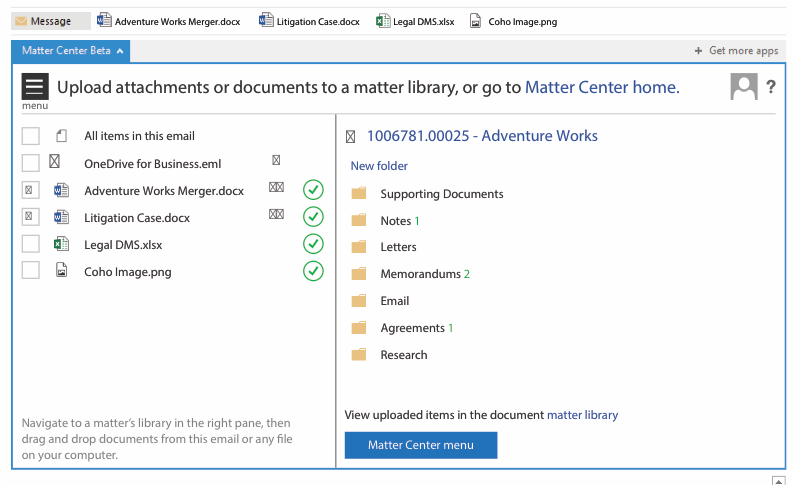
Final Design
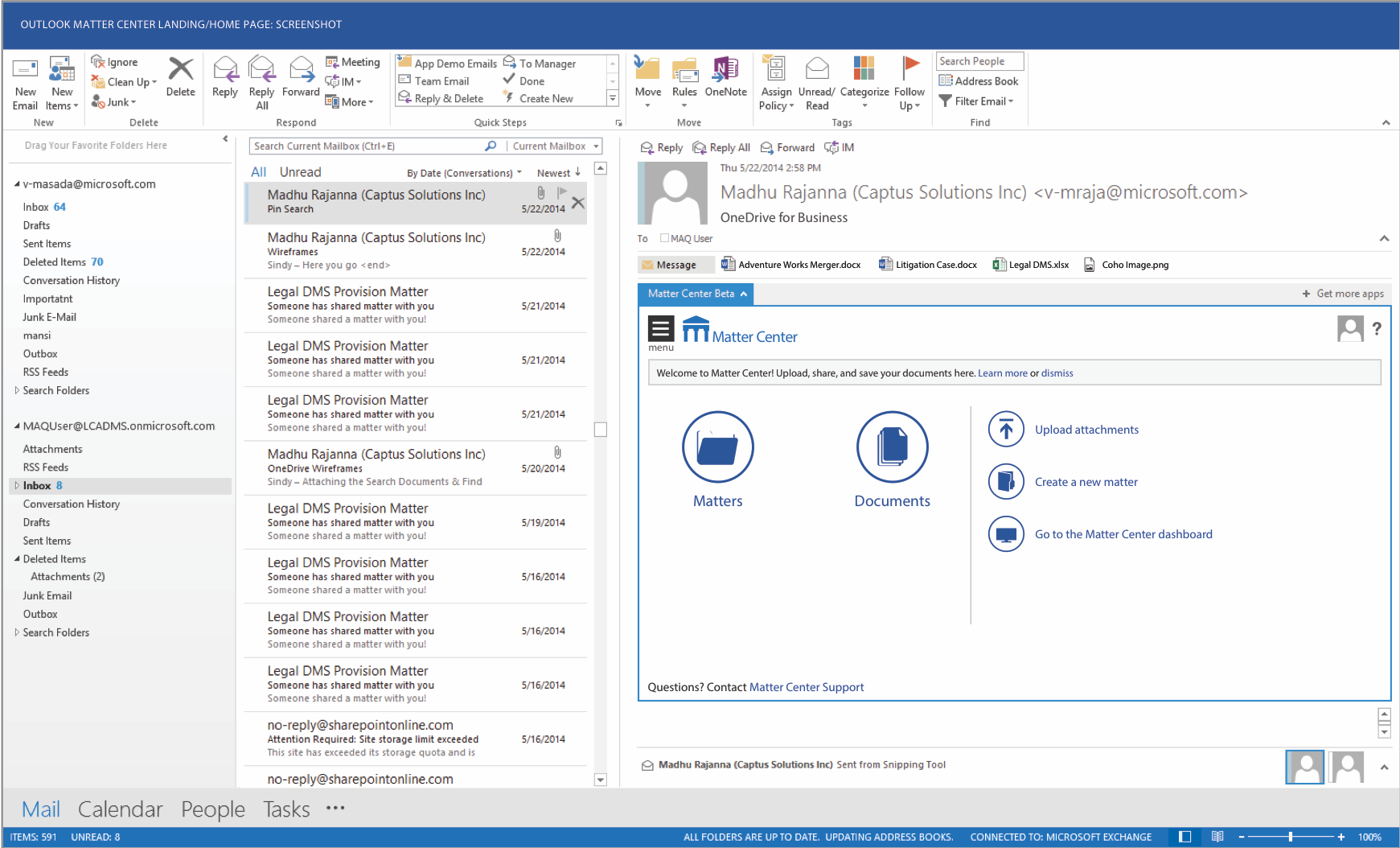
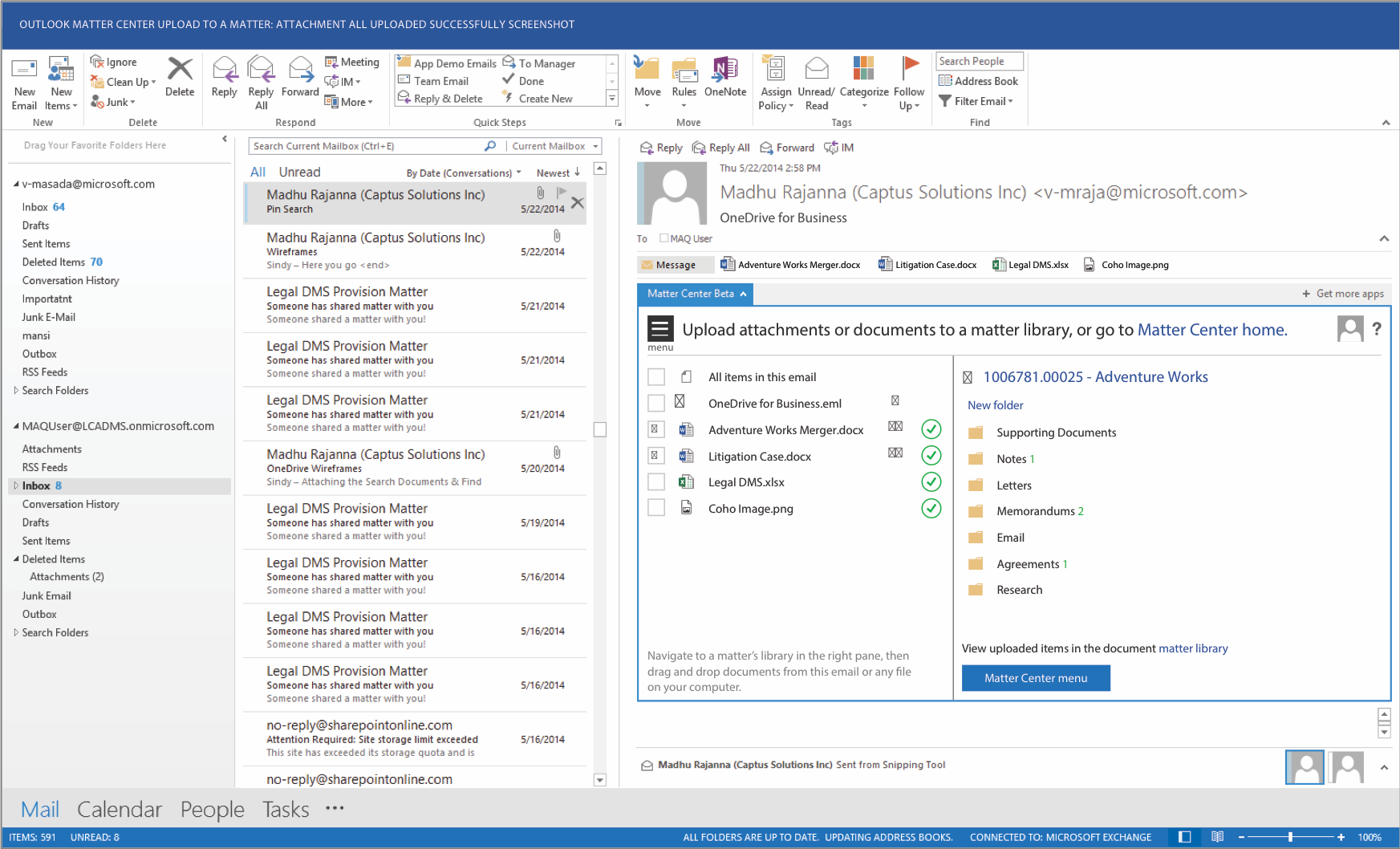
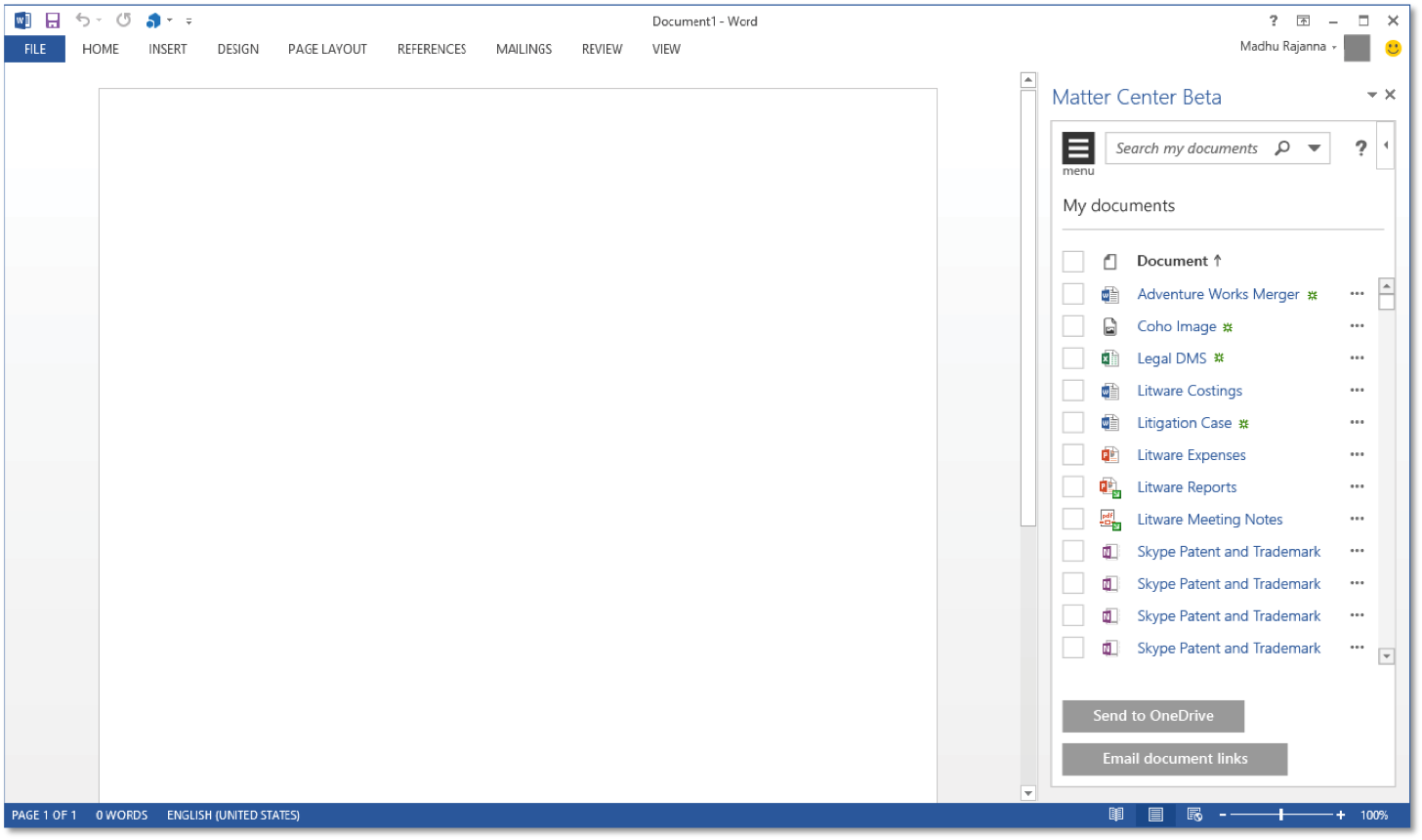
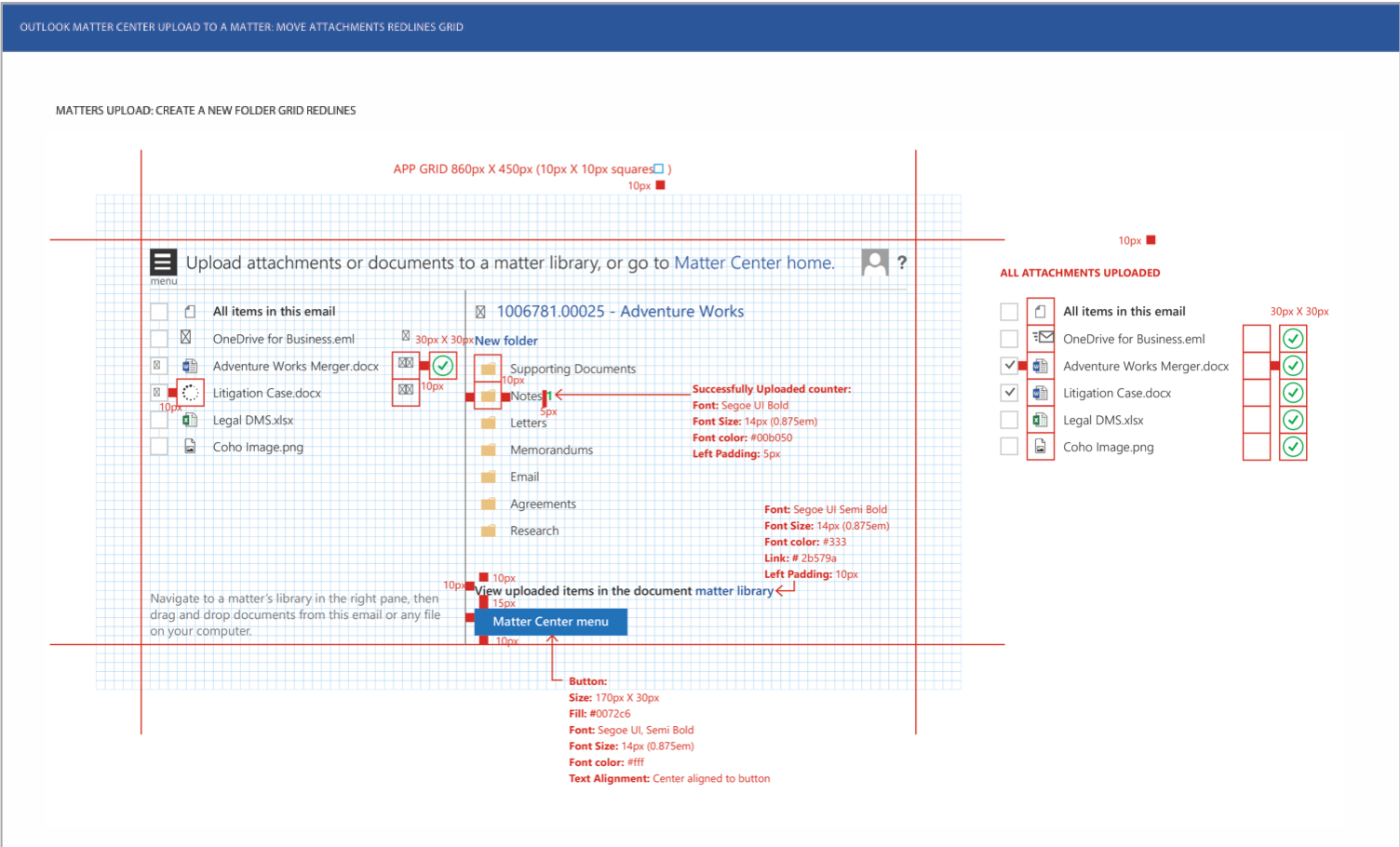
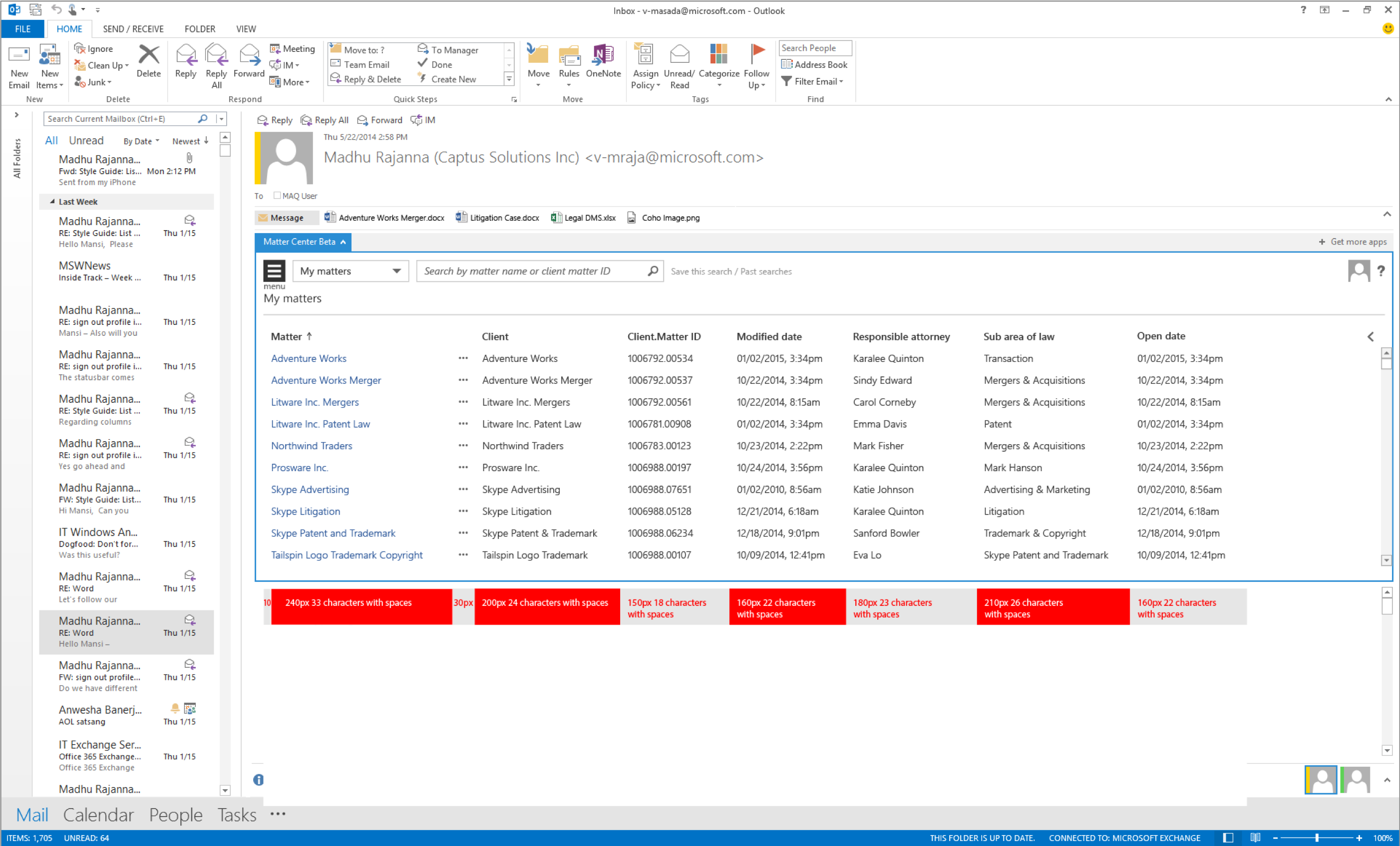
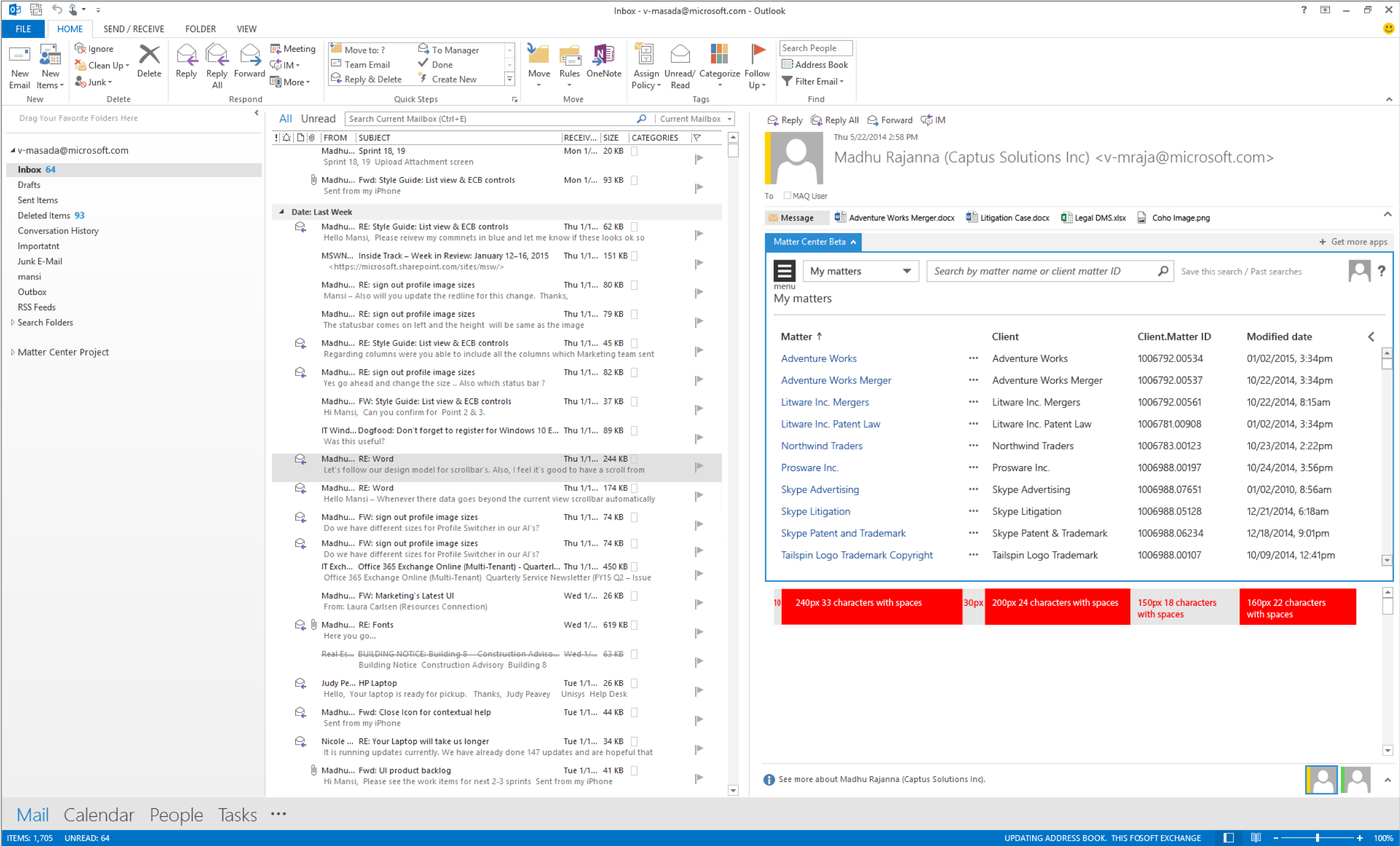
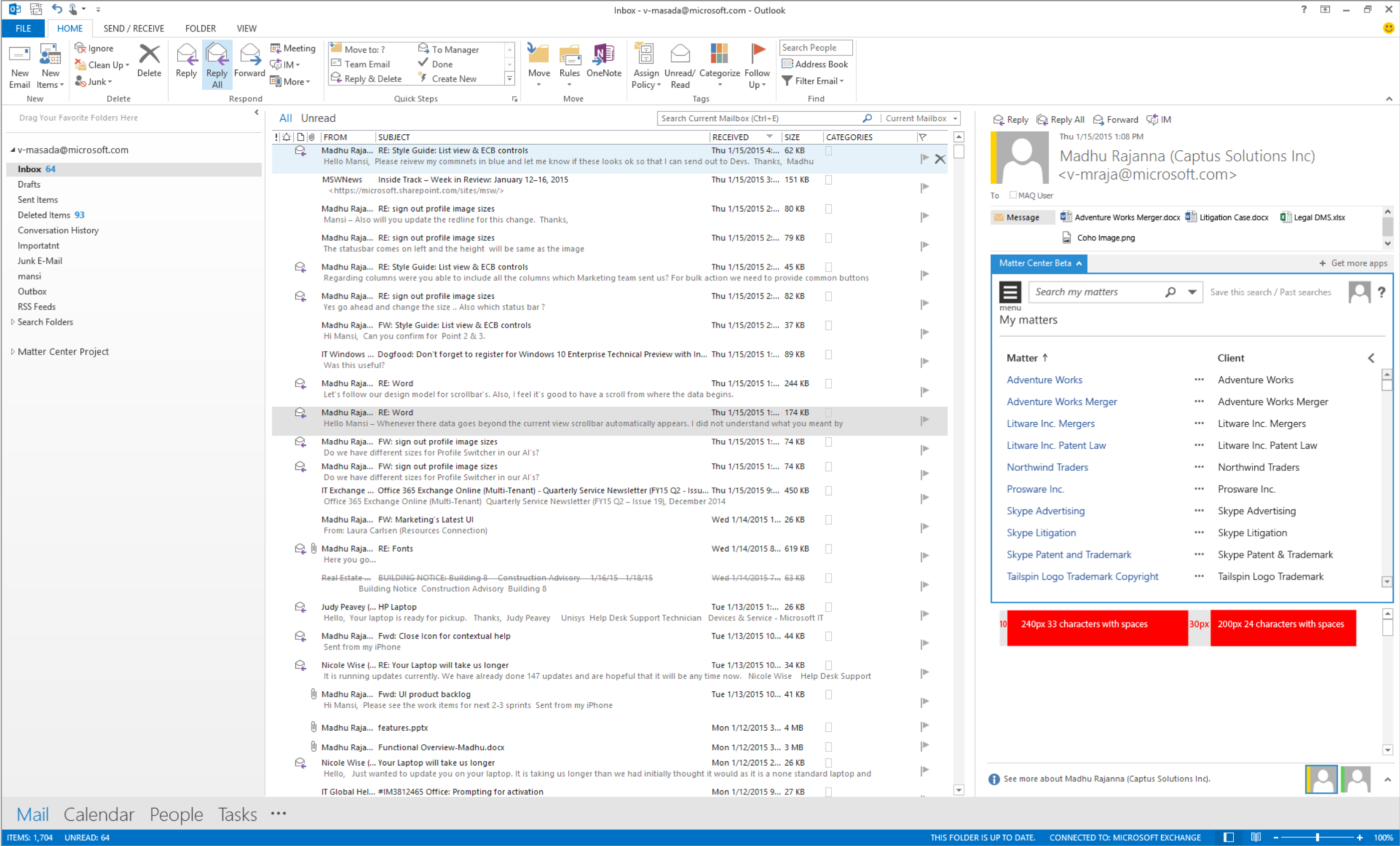
Responsive Design
Results
Reduced the time it takes for uploading documents, creating a matter site, and assigning people to work.
Before launch: Took minimum 30 minutes
After launch: Took under 10 minutes
Drafting document (Collaboration):
Reduced by 50%, because of real-time collaboration available on all devices